
Overview
The Micro:bit Educational Foundation's website (microbit.org) and its teaching tools, can be translated into a range of languages. This work is kindly supported by micro:bit community volunteers. If you'd like to get involved, visit microbit.org/translate.
This guide covers translating microbit.org, micro:bit CreateAI and micro:bit classroom.
Contents
- contributing a translation
- brief for translators
- using Page translate
- adding a translation in Crowdin
- completing a translation task in Crowdin
- volunteer reward programme
- FAQ
Brief for translators
To keep translations consistent across the site, we ask all volunteers to stick closely to the meaning of the original text and follow the guidelines below.
Who the website is for | Teachers, educators, school leaders, education technology experts, students, and young people. |
What the website is about | Education technology, technology for children, hardware and software. |
Languages we translate into | See the full list here: https://crowdin.com/project/microbitorg |
Dialects | If a translation is for a specific dialect, this will be shown in the project name — for example, Portuguese (Brazil) or Chinese (simplified). |
Translation memory | Available for all projects. |
Glossary | Each project has its own glossary, and we welcome contributions from the community. There's also a general glossary. |
Further reading | |
| Platforms covered | https://makecode.microbit.org/ https://createai.microbit.org/ |
Tone of voice | Informal and family-friendly. Avoid slang. |
Words to leave untranslated | Micro:bit Educational Foundation BBC micro:bit micro:bit micro:bits microbit.org micro:bit classroom micro:bit CreateAI micro:bit Python micro:bit Champion Make it: code it MakeCode Scratch Proper names generally (e.g. British Council) |
Punctuation | Use the en dash, em dash, and ellipsis conventions of the target country. |
Characters to avoid | Don't use single quotation marks — the website uses double quotation marks throughout. |
Keeping translations up to date | Translation and proofreading are ongoing. |
Contributing a translation
The Foundation uses a community translation tool called Crowdin to manage translations. If you don't already have an account, you'll need to sign up as a new Crowdin user. Once you've signed up, a member of the Foundation will approve your access to the project.
We'd also encourage you to sign up to the translation community newsletter, so we can stay in touch and keep you updated on translation activities.
Translations are managed through Crowdin. A separate tool called Page Translate offers a contextual view, making it easier to choose the right words and phrases. You can access this via the links below:
Microsoft MakeCode for micro:bit
How to use Page Translate
The simplest way to get started is to visit Page Translate.
- Click one of the pages linked above, or go to https://microbit.org/page-translate/ and log in to Crowdin.
- Go to the page you want to translate.
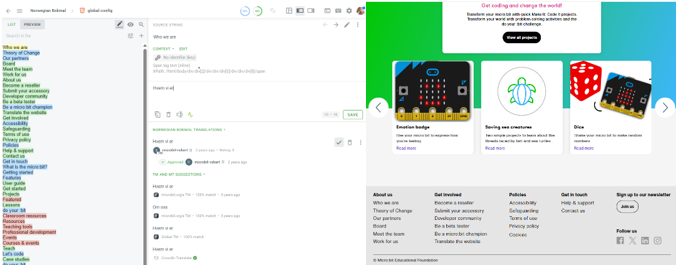
- Click on any text on the page to add a translation.
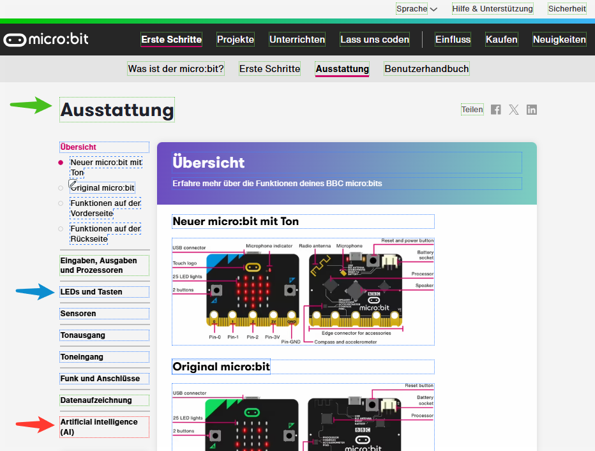
- Each string has a coloured dotted border showing its status:
- Red — not translated
- Blue — translated, but not yet approved
- Green — translated and approved by a proofreader
Adding a translation in Crowdin
Log in to Crowdin and select your language from the list. In this example, we're using Norwegian Bokmål. You'll see a dropdown menu listing all the files available to translate.
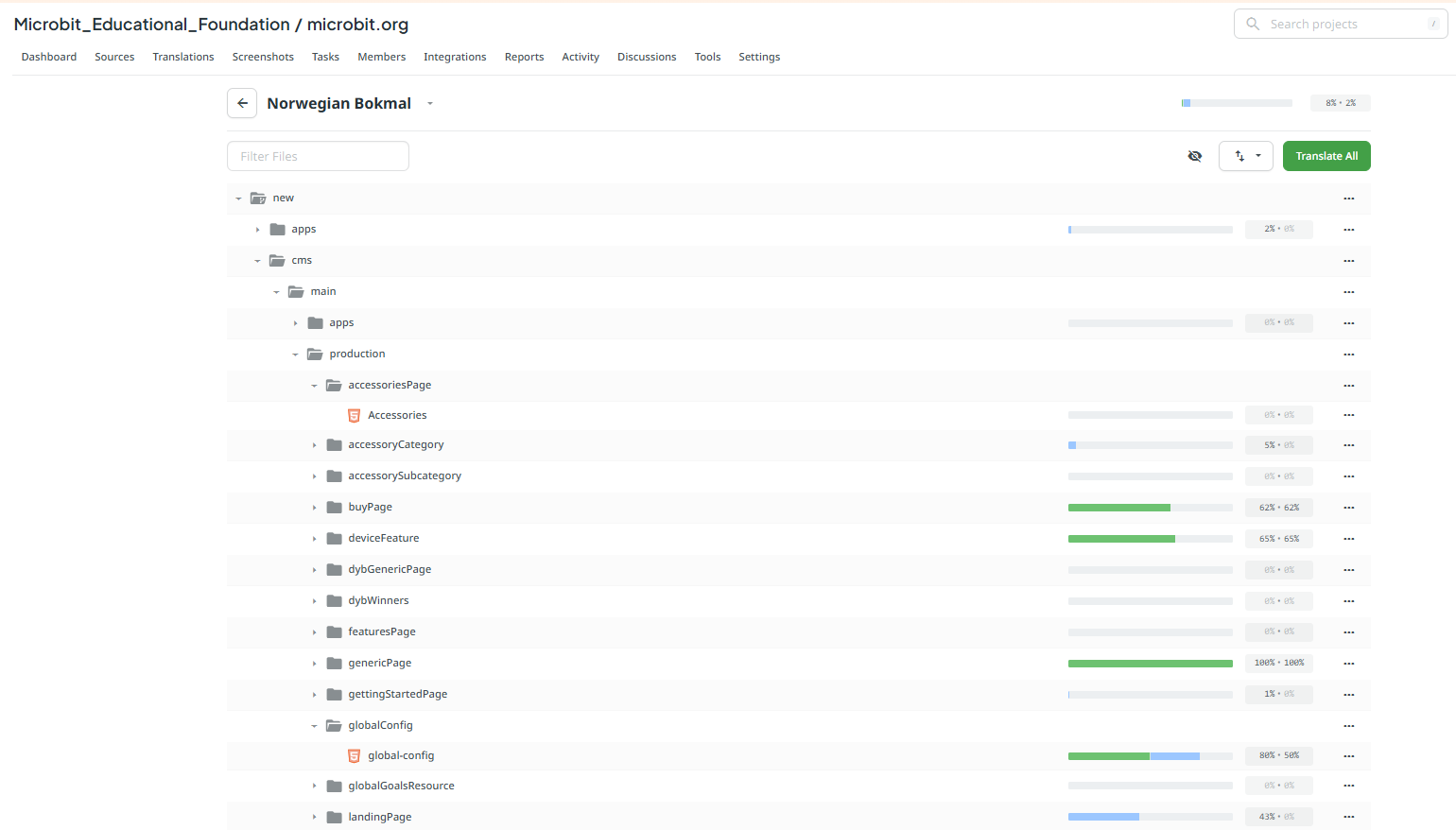
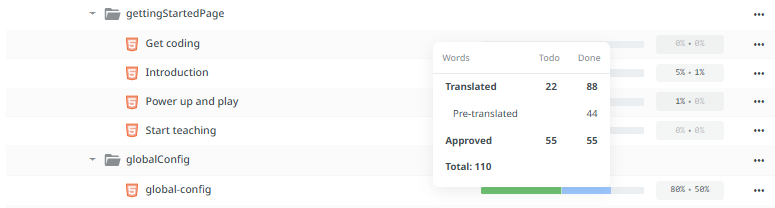
In this view, you can hover over the status bar for each file to see how complete it is. The blue section shows the number of words translated, and the green section shows the number of words that have been proofread and approved.
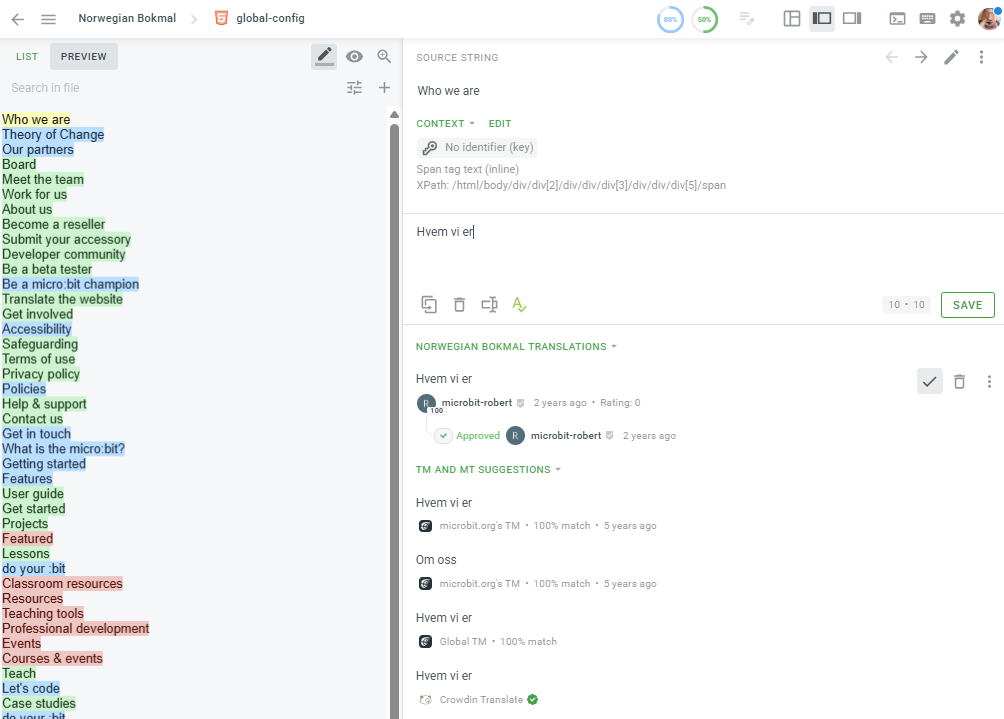
Selecting a file takes you into the Crowdin editor, where you'll see the source strings that need translating. Selecting a string loads it in the editor panel on the right of the screen, where you can add and save your translation.
You might find it easier to work on translations with the relevant web page open in a separate browser window. For example, open the "Beating heart" activity in Crowdin, and open the matching page on the website alongside it.
Translation tasks
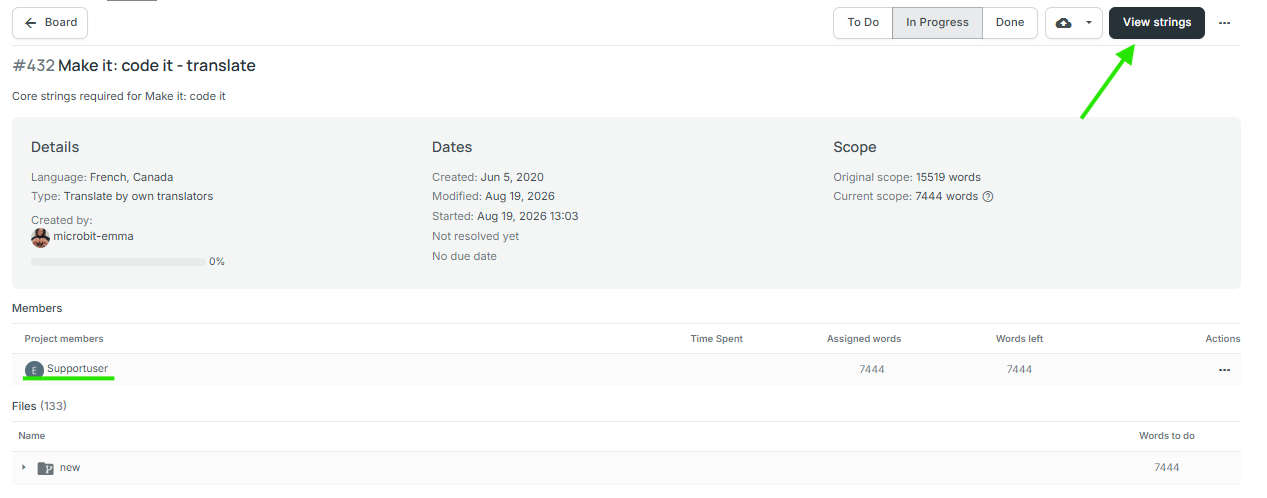
When you join the micro:bit translation project in Crowdin, you'll be assigned the priority tasks for your language.
If you open the Crowdin editor from the task ("View strings"), all the priority strings will show up together, making them easy to find.
Volunteer reward programme
The Foundation is hugely grateful for the support of the micro:bit volunteer community, and recognises volunteer contributions through the volunteer reward programme.
Rewards include digital and enamel pin badges, plus recognition on social media and in microbit.org news articles.
There are three levels of digital badge, awarded every six months for contributions of 1,000, 7,500 and 15,000+ words. You can use these badges on social media profiles, in emails, and in documents.
The reward programme is still being developed, and we'd love to hear your ideas for what you'd like to see included. Please email the team at support@microbit.org.

FAQ
What do the numbered meta tags (e.g. <1></1>) mean?
If you see a string with numbered tags around certain words, these represent text formatting on the website. For example, this source string in Crowdin:

is rendered on the website, showing link formatting.

If you need to change the word order in your translation so it reads naturally, keep the meta tags attached to the same words as in the source string — just move them as a pair.
Correct example:
<0>Your micro:bit has a </0><1>compass sensor</1> translated to <1>compass sensor</1><0>Your micro:bit has</0>
Incorrect example:
<0>Your micro:bit has a </0><1>compass sensor</1> translated to <0><1>Your micro:bit has a compass sensor</0></1>
When will translated content be published?
We publish languages as soon as possible once translation and proofreading are complete. As a minimum, all the pages listed in the "What to translate" section above must be 100% translated and proofread.
I can't find the language I'd like to translate — what do I do?
Sometimes we need to set up a new language project. If you'd like to volunteer for a language you can't see listed, please get in touch at support@microbit.org.
I've found an error in a translation, or I'd like to suggest a change
Thank you for letting us know! Please email support@microbit.org.
Why can't I translate the News page?
Not all parts of microbit.org are currently open for translation.
I'd like to translate something else
Please follow the links below for guidance on translating other content:
- Microsoft MakeCode
- micro:bit educational videos
- micro:bit Python Editor
- micro:bit classroom
- micro:bit CreateAI